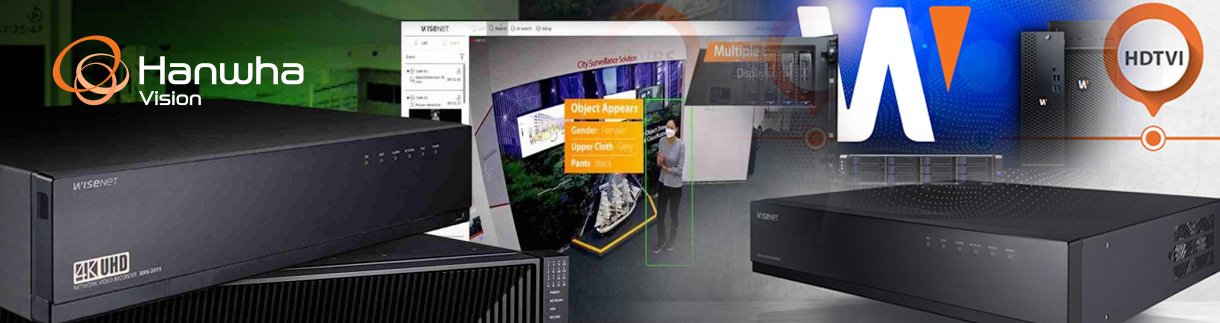
The global surveillance camera market is expected to grow to more than $75.6 billion by 2031 as organizations upgrade their security infrastructure to support higher-resolution video, smarter analytics, and more centralized security management.Choosing the right video recording system is a key part of that investment. Network video recorders (NVRs) and digital video recorders (DVRs) offer distinct advantages depending on your existing camera types, network setup, and long-term growth plans. Understanding how these systems differ will help your security teams make smarter, more future-ready decisions.This guide outlines how NVR and DVR systems work, how video management software (VMS) extends their capabilities, and how to evaluate the right fit for your environment.
Key Takeaways
NVR and DVR systems differ in how they process video, connect cameras, and support advanced features.
NVR systems are built for IP-based cameras, while DVR systems rely on analog technology.
VMS extends capabilities beyond basic recording and playback.
Choosing the right system depends on environment, scalability needs, and long-term security strategy.
What is an NVR Security System?
NVR systems work with IP cameras that send video over wired or wireless networks, instead of analog cabling. This network-based architecture makes them a better fit for deployments that require higher video quality, flexible placement and advanced analytics.
How NVR Systems Work
NVR systems record video that is encoded at the camera level and transmitted over a network to a central recorder. Because processing happens at the camera, video quality remains high and data can be managed more efficiently. This architecture supports remote access and easier integration with other network-based security tools.
Key Components of an NVR System
An NVR system relies on several core components that work together to capture, transmit, and store video data:
NVR cameras capture and encode video before sending it across the network.
An NVR recorder stores video footage and manages playback, search, and system settings.
Ethernet cabling connects cameras to the network and often provides power through PoE.
A Wi-Fi router and other network infrastructure enables communication between cameras, recorders, and remote users.
External storage supports longer retention periods and higher video resolutions.
What is a DVR Security System?
DVR systems are surveillance models that record footage from hardwired analog cameras rather than IP-based devices. They are commonly found in legacy installations and smaller deployments where analog cameras are already in place.
How DVR Systems Work
DVR systems receive raw video signals from analog cameras and encode the footage at the recorder itself. Cameras connect directly to the DVR using coaxial cables, which limits flexibility but simplifies setup in certain environments. Video quality and feature support depend largely on the recorder's capabilities.
Key Components of an DVR System
A DVR system includes several hardware elements that support analog video capture and storage:
A DVR recorder encodes, records, and stores video footage.
Analog cameras capture video and send uncompressed signals to the recorder.
Coaxial cables transmit video signals from cameras to the DVR.
Analog-to-digital encoders convert signals for digital processing when needed.
On-premise storage retains recorded footage for review and compliance purposes.
Where Video Management Software (VMS) Fits In
As surveillance needs expand, many organizations move beyond standalone recorders toward software-driven platforms. VMS provides a centralized way to manage video across different system types.
What Is a VMS Solution?
A VMS solution is software that enables centralized control of cameras, recorders, and video data. It supports live viewing, playback, search, user management, and system configuration from a single interface. VMS platforms are designed to scale and adapt as security requirements evolve.
How VMS Works with NVR and DVR Systems
VMS platforms can integrate with both NVR and DVR systems to unify video management across mixed environments. They allow organizations to manage IP and analog cameras within one system while adding advanced features such as analytics, role-based access, and automated alerts.
When Should Businesses Move Beyond NVR or DVR Systems
Organizations often move beyond basic NVR or DVR systems when they require advanced analytics, centralized monitoring across locations, or deeper integration with access control and other security platforms. VMS solutions support these needs by providing greater flexibility and long-term scalability.
NVR, DVR, and VMS Comparison
The table below highlights key differences between NVR systems, DVR systems, and VMS-based solutions:
Feature | NVR | DVR | VMS |
|---|---|---|---|
Camera Type | IP cameras | Analog cameras | IP and analog |
Cabling | Ethernet | Coaxial | Ethernet and hybrid |
Video Quality | High definition | Standard definition | High definition and advanced formats |
Audio Support | Supported | Limited | Supported |
Analytics | Camera-based | Minimal | Advanced and software-driven |
Remote Access | Network-based | Limited | Centralized and scalable |
Scalability | Moderate | Limited | High |
Costs | Moderate | Lower upfront | Varies by deployment |
Ideal Use Cases | Multi-camera or expanding environments that require centralized management | Smaller, single-location sites using analog cameras | Enterprise and multi-site environments |
Which Security System Is Right for Your Business?
The right security system configuration depends on how video is used, how environments operate, and what infrastructure is already in place.While DVR systems support existing analog cameras, most modern deployments are built around NVR systems and VMS platforms designed for IP-based video and centralized management.The examples below outline common environments and the recommended system setups to look for that best align with their operational and security needs.
High-Traffic Public Environments
Example environments: Airports, stadiums, transportation systems, casinos, and large public venues.
What they require: High camera counts, continuous recording, real-time visibility, and the ability to monitor activity across wide areas without interruption.
Security priorities: Situational awareness, incident response, and centralized monitoring across multiple zones.
Recommended set up: Look for solutions that support high-resolution video, scalability, and advanced monitoring capabilities.
Regulated and High-Security Facilities
Example environments: Government facilities, financial institutions, data centers, corrections facilities, and energy infrastructure.
What they require: Strict access controls, detailed audit trails, and centralized oversight to meet regulatory and compliance requirements.
Security priorities: Accountability, controlled access, and documented review of video activity.
Recommended set up: Look for solutions that integrate video with access control and support audit trails and centralized compliance review.
Commercial and Customer-Facing Locations
Example environments: Retail, healthcare, education, and logistics operations.
What they require: A balance between security coverage, ease of use, and operational efficiency across daily activities.
Security priorities: Loss prevention, safety monitoring, and flexible system management.
Recommended set up: Look for solutions that support IP camera deployments with intuitive system management, while enabling centralized visibility and scalability across multiple locations.
Industrial and Operational Environments
Example environments: Manufacturing facilities, logistics hubs, and intelligent transportation systems.
What they require: Reliable monitoring that supports safety, efficiency, and awareness across operational processes.
Security priorities: Visibility into workflows, incident review, and integration with operational data.
Recommended set up: Look for solutions that integrate video with operational and transportation systems.
NVR, DVR, or VMS Solution for Your Security Needs
Surveillance systems now support more cameras, higher resolutions, and broader operational use cases than they did even a few years ago. Choosing the right recording and management platform helps ensure video systems remain reliable as coverage expands and requirements grow.Hanwha Vision offers a full range of NVR, DVR, and VMS solutions designed to support modern surveillance needs. From recording hardware to scalable VMS platforms and Road AI integrations, Hanwha Vision helps organizations build security systems that align with both current demands and future growth.Discover how Hanwha Vision's recording and video management solutions can support your surveillance needs today.
Previous
Next